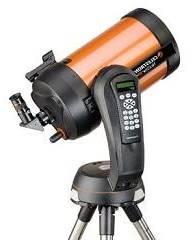
Please select your telescope platform

This is so the we can show you the relevant information.
ALIGNSTAR

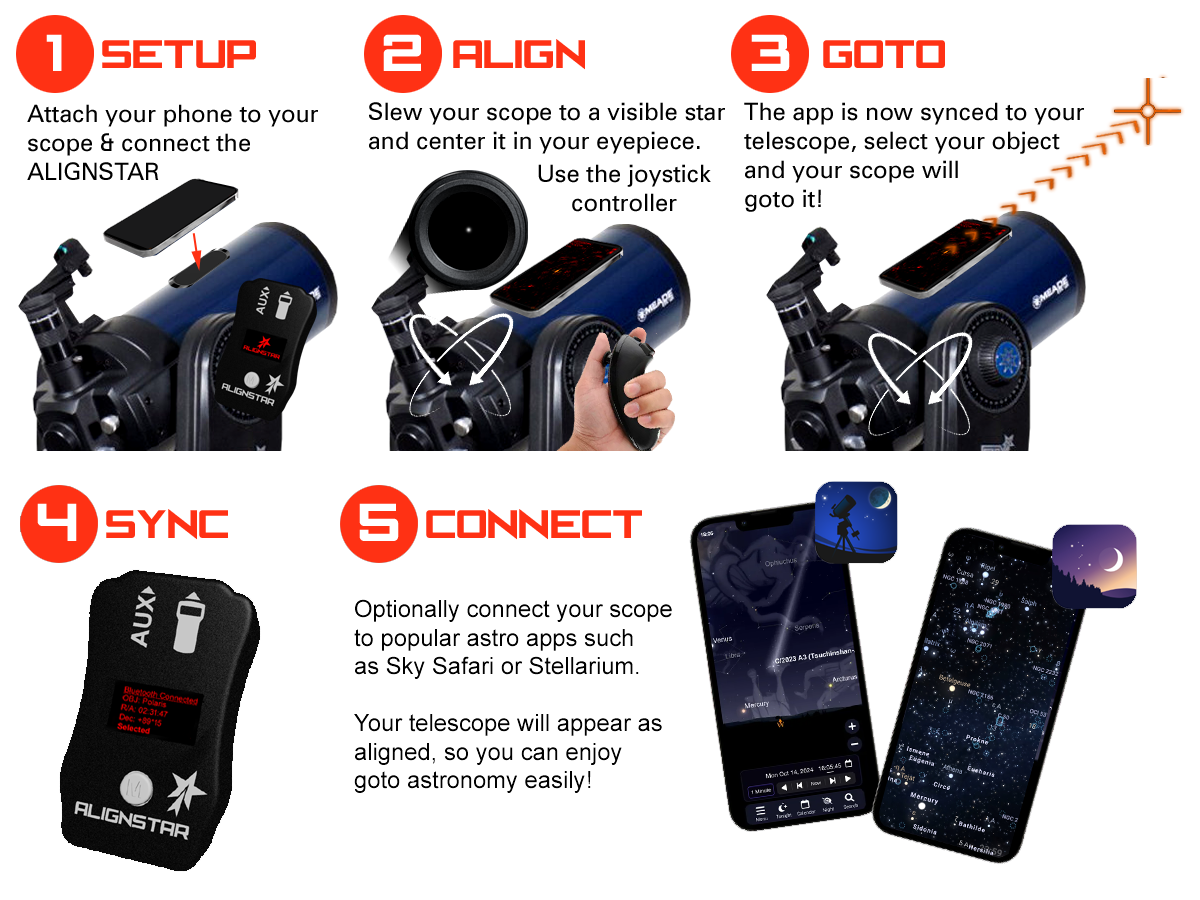
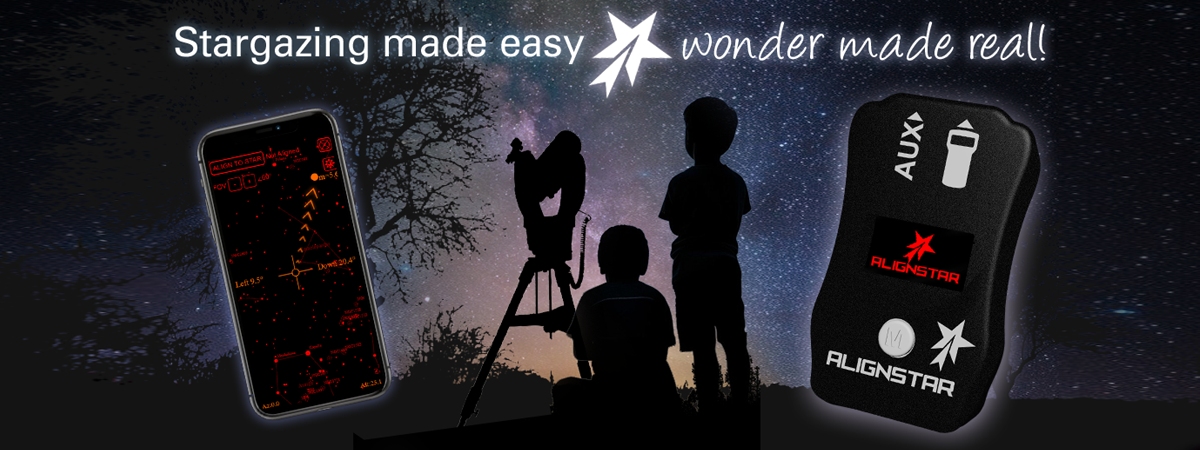
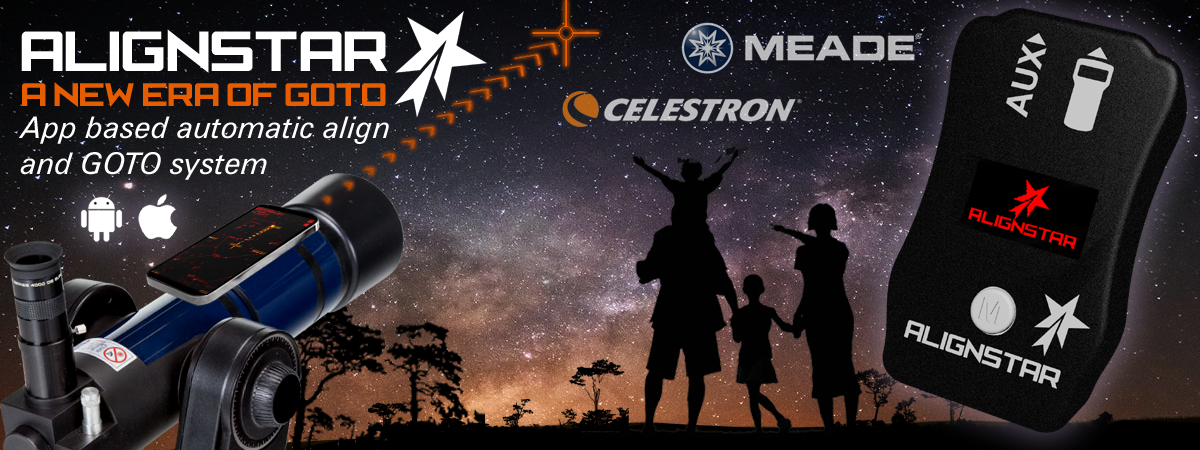
ALIGNSTAR helps you align your telescope quickly and accurately using your smartphone's sensors to guide you to alignment stars. It also features built-in joystick controls for smooth manual slewing and fine adjustments during setup.

ALIGNSTAR can create its own WiFi hotspot or operate as a wireless bridge, allowing astronomy apps like SkySafari or Stellarium to connect directly to your telescope. The result is a simple, cable-free way to align, control, and explore the night sky. It's a simple way to make GoTo telescopes faster and easier to set up in the field.
 

Quickly jump to an information section using these buttons

ALIGNSTAR demo video

This short demonstration video shows ALIGNSTAR working with a Celestron Nextstar 4SE. The operation is the same on Meade telescope models. In Bridge mode it can be used with apps other than Sky Safari, or Stellarium.


How it works

ALIGNSTAR helps you align your telescope quickly and accurately using your smartphone's sensors to guide you to alignment stars. It also features built-in joystick controls for smooth manual slewing and fine adjustments during setup. ALIGNSTAR can create its own WiFi hotspot or operate as a wireless bridge, allowing astronomy apps like SkySafari or Stellarium to connect directly to your telescope. The result is a simple, cable-free way to align, control, and explore the night sky.
ConnectStar Features

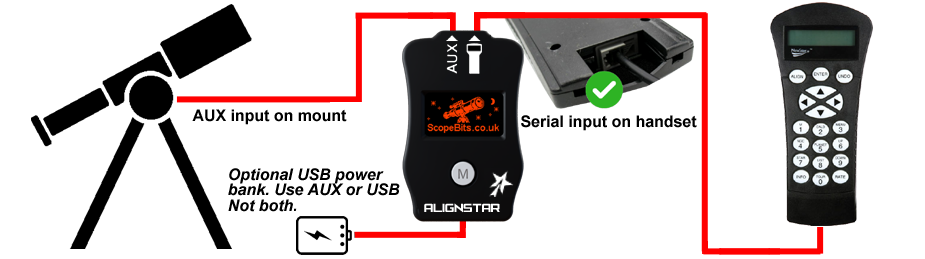
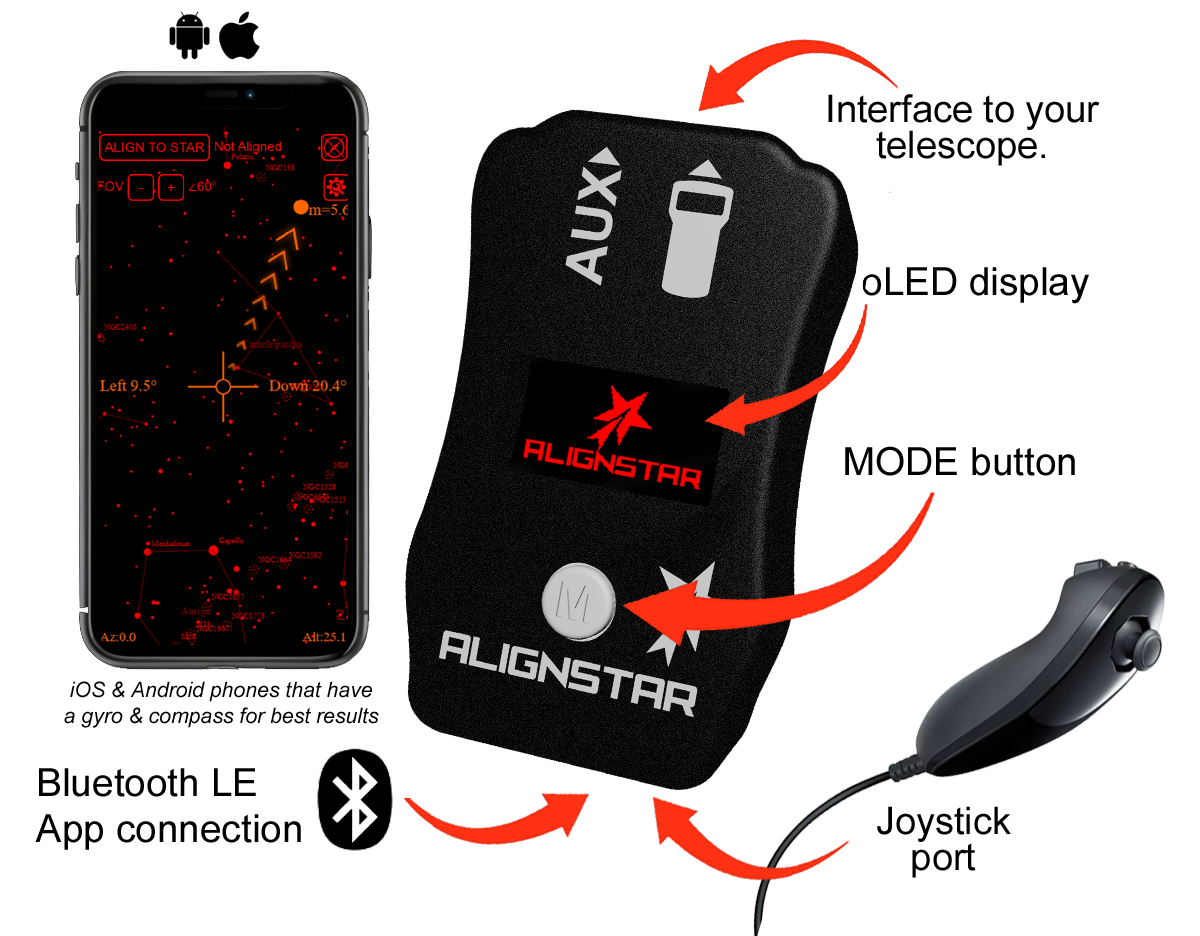
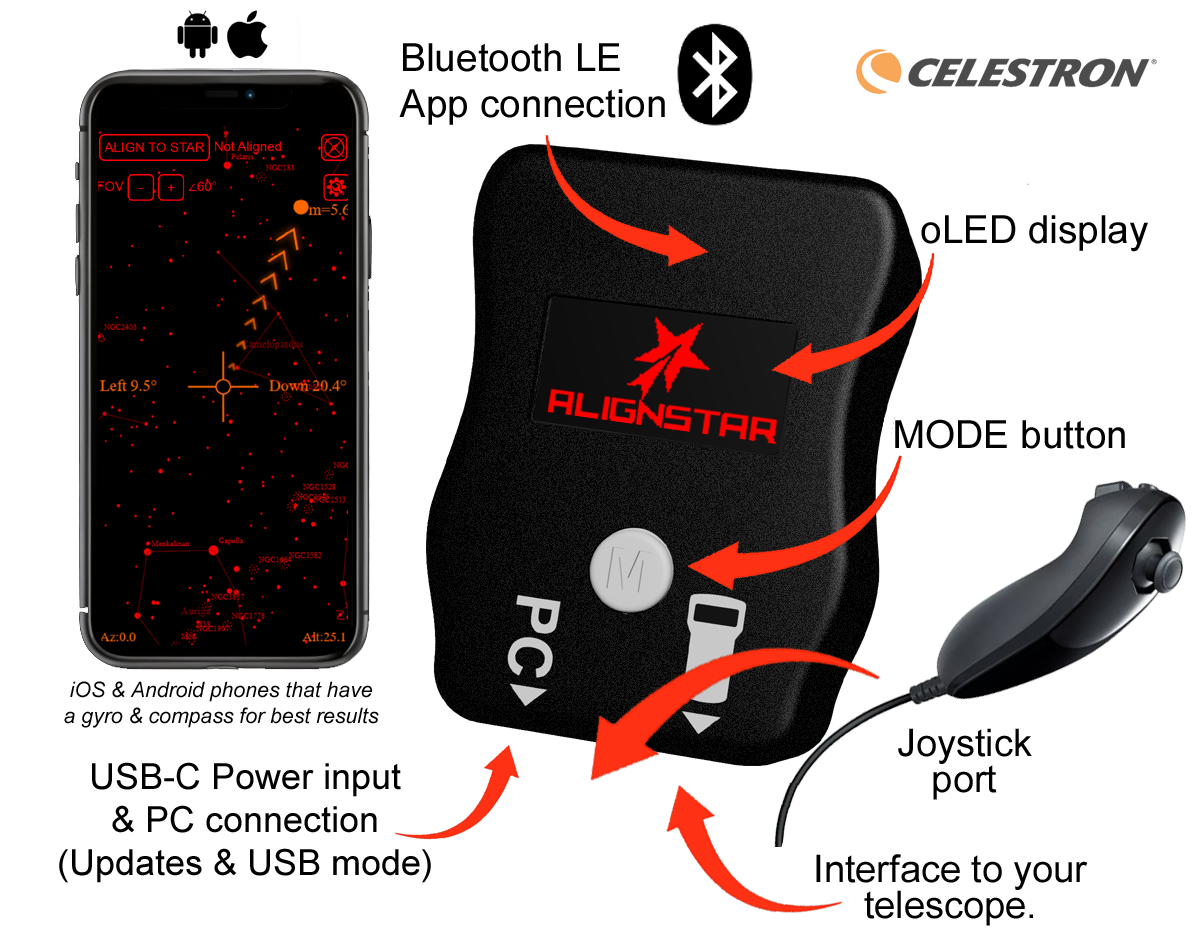
ALIGNSTAR connections & overview

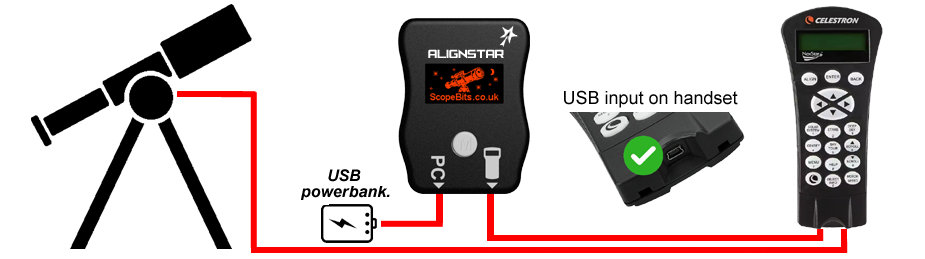
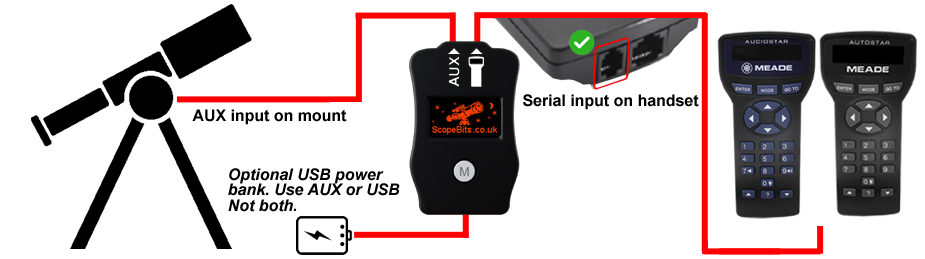
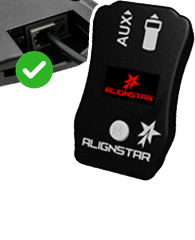
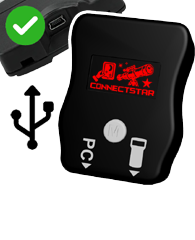
Here is the information needed to connect your CONNECTSTAR to your mount system. There are 2 verisons please select the one the suits your handset type.

CONNECTSTAR compatible with the legacy RS232 enabled handsets. Handset software version should be 3+

CONNECTSTAR compatible with the newer USB enabled handsets. Handset software version should be 4+

ConnectStar Features  class=

*IMPORTANT - some EQ LX mounts have the AUX port polarity reversed, this is dictated by a small white sticker in the battery compartment. If in any doubt please use the USB power bank to power your Telescope bridge, and not use AUX.


ALIGNSTAR Screens Explained

Below are the screens you will see when using Alignstar.

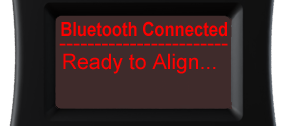
Connected

The initial screen will show waiting for app... it will change when the unit is connected to the App.
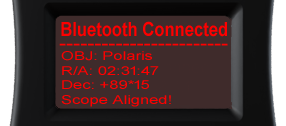
Aligned

The unit will be synced with the app and show you the current scope alignment object.
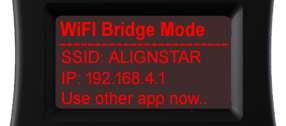
Bridge mode

The unit has created a Wifi network called ALIGNSTAR. Connect to this and run your planitarium app, eg Sky Safari.
App features

Below is a quick guide on using the ALIGNSTAR app. The APP is the same on iOS and Android.


ALIGNSTAR will automatically set and request your scope to move to a sky coordinate, so ensure your goto settings and calibration are setup to get the best results. If Alignstar is consistantly off target, then then see how to train your drives in your telescopes manual.

SkySafari Connection

Below is a quick guide for connecting to your telescope via ALIGNSTAR. The guide covers SkySafari but ALIGNSTAR is compatible with all other planitarium software that supports your telescope. Once you have set your ALIGNSTAR into bridge mode, you can connect.


Joystick motions

If you have the optional joystick with your unit, here are the guides on how it works


How to update the firmware

You can update your ALIGNSTAR using the USB online updater. Follow this guide.

How to update the firmware

There are 2 versions of CONNECTSTAR for Celestron mounts, Select the version you want to update.


FAQ

Here are some of the frequently asked questions.

Check these as they may answer any support questions
ALIGNSTAR has 1 main Wifi mode. 1), WIfi AP (Access Point). This is where it will create it's own Wifi network you can connect to. 2). Wifi STA (Station). APPSTAR can join your exisitng Wifi inftrastructure so that the app on your network can find it. See this guide.
ALIGNSTAR has a fairly low power Wifi antenna. Therefore the range is limited to about 10m. Considering you will probably be close to your scope when using other apps this is not so much of an issue.
Yes but you will need to use a diffrent browser, the BlueFy app is free and will allow you to easily connect to ALIGNSTAR in Bluetooth mode. See this guide.
It depends on your version of ALIGNSTAR. See this guide.
ALIGNSTAR relies on your mounts capability to accuratly goto objects using it's internal systems. It is critical that the time, date and location are properly set. On some Celestron mounts this is handled by ALSIGNSTAR, so Meade mounts ensure you have correctly entered the information using your handset. Also check your mount is properly setup and that any motor training or other stock setups are completed. ALIGNSTAR will set your scopes coordinates and then request a goto to a new set.
The Joystick is used to easily move your mount to objects. It is more intuitive then using the stock handset keys. See this guide.
Yes. Firmware updates can be installed through the ScopeBits firmware update tools available on the support website. Updating firmware ensures the latest features and compatibility improvements. Make sure you're using Google Chrome or Microsoft Edge on desktop. Mobile browsers and Safari are not supported for WebUSB/WebSerial updates. See this guide.
There is a quick start guide to connect your scope using Sky Safari here. Any other apps such as Stellarium is also compatible but will require their own setup.

Customer reviews

Here are some reviews from customers about their KEYSTAR.

Also check out the gallery to see customer images of ScopeBits gear in action.

So new there are no reviews just yet!

I am sure there will be some here soon!


BUY

ALIGNSTAR will be available soon!


Copyright 2026 ScopeBits.